
具体描述
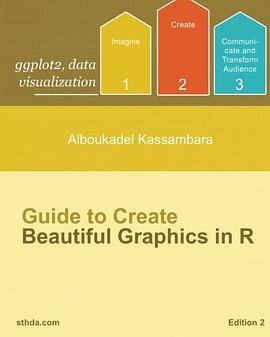
This book contains 6 parts. The first part provides a quick introduction to R
(chapter 1) and to ggplot2 plotting system (chapter 2).
In the second part (chapter 3 - 11), we described the different graphs for visualizing
one continous/discrete variable: area plots, density plots, histogram plots,
frequency polygon, dot plots, ECDF and QQ plots.
Part III provides quick-start guides for plotting two continuous/discretes variables,
including :
• Scatter plots (chapter 12)
• Continuous bivariate distribution (chapter 13)
• Jitter plots of two discretes variables (chapter 14)
Part IV (chapter 15 - 22 ) describes how to draw and customize: box plots, violin
plots, dot plots, strip charts, line plots, bar plots and pie charts.
Part V of the book covers how to change graphical parameters including:
• Main title, axis labels and legend titles (chapter 24)
• Legend position and appearance (chapter 25)
• Colors (chapter 26)
• Point shapes, colors and size (chapter 27)
• Line types (chapter 28)
• Axis limits: minimum and maximum values (chapter 29)
• Axis transformations: log and sqrt (chapter 30)
• Date axes (chapter 31)
• Axis ticks : customize tick marks and labels (chapter 32)
• Themes and background colors (chapter 33)
• Add text annotations to a graph (chapter 34)
• Add straight lines to a plot: horizontal, vertical and regression lines (chapter 35)
• Rotate a plot (chapter 36)
• Facets: split a plot into a matrix of panels (chapter 37)
• Position adjustements (chapter 38)
作者简介
Alboukadel Kassambara is a Health – Biology Scientist with ten years work experiences in Cancer Biology and Bioinformatics.
He has extensive experiences in statistical and computational methods to identify prognostic and predictive biomarker signatures through integrative analysis of large-scale genomic and clinical data sets.
He created a bioinformatics web-tool named GenomicScape, for an easy gene expression data analysis and visualization.
He developed also a training website on data science, named STHDA, which contains many tutorials on data analysis and visualization using R software and packages.
He is the author of many popular R packages for multivariate data analysis, survival analysis and data visualization.
目录信息
0.1 Preface to the second edition . . . . . . . . . . . . . . . . . . . . . . . 3
0.2 Preface to the first edition . . . . . . . . . . . . . . . . . . . . . . . . 4
0.3 Acknowledgments . . . . . . . . . . . . . . . . . . . . . . . . . . . . . 4
0.4 About the author . . . . . . . . . . . . . . . . . . . . . . . . . . . . . 4
0.5 How this book is organized? . . . . . . . . . . . . . . . . . . . . . . . 13
0.6 Book website . . . . . . . . . . . . . . . . . . . . . . . . . . . . . . . 17
0.7 How to execute the R codes provided in this book? . . . . . . . . . . 18
I Basics of R and ggplot2 19
1 Introduction to R 20
1.1 Install R and RStudio . . . . . . . . . . . . . . . . . . . . . . . . . . 20
1.2 Arithmetics with R . . . . . . . . . . . . . . . . . . . . . . . . . . . . 21
1.3 Data types in R . . . . . . . . . . . . . . . . . . . . . . . . . . . . . . 22
1.4 Getting help with functions in R . . . . . . . . . . . . . . . . . . . . . 24
1.5 Installing and loading R packages . . . . . . . . . . . . . . . . . . . . 24
1.6 Importing your data into R . . . . . . . . . . . . . . . . . . . . . . . 26
1.7 Demo data sets . . . . . . . . . . . . . . . . . . . . . . . . . . . . . . 27
1.8 Close your R/RStudio session . . . . . . . . . . . . . . . . . . . . . . 28
2 Introduction to ggplot2 29
2.1 What’s ggplot2? . . . . . . . . . . . . . . . . . . . . . . . . . . . . . . 29
2.2 Type of graphs for data visualization . . . . . . . . . . . . . . . . . . 30
2.3 Install and load ggplot2 package . . . . . . . . . . . . . . . . . . . . . 31
2.4 Data format and preparation . . . . . . . . . . . . . . . . . . . . . . . 31
2.5 qplot() function: Draw quick plots . . . . . . . . . . . . . . . . . . . . 32
2.6 ggplot() function: Build plots piece by piece . . . . . . . . . . . . . . 35
2.7 Save ggplots . . . . . . . . . . . . . . . . . . . . . . . . . . . . . . . . 39
II Plot One Variable - X: Continuous or Discrete 40
2.8 Data format . . . . . . . . . . . . . . . . . . . . . . . . . . . . . . . . 41
2.9 Plot types . . . . . . . . . . . . . . . . . . . . . . . . . . . . . . . . . 42
3 Area Plots 43
4 Density Plots 45
4.1 Basic density plots . . . . . . . . . . . . . . . . . . . . . . . . . . . . 45
4.2 Change colors by groups . . . . . . . . . . . . . . . . . . . . . . . . . 46
5 Histogram Plots 49
5.1 Basic histogram plots . . . . . . . . . . . . . . . . . . . . . . . . . . . 50
5.2 Change colors by groups . . . . . . . . . . . . . . . . . . . . . . . . . 51
6 Combine Histogram and Density Plots 53
7 Frequency Polygon 54
8 Dot Plots for One Variable 56
9 ECDF Plots 57
10 QQ Plots 58
11 Bar Plots of Counts 60
III Plot Two Variables - X & Y: Both Continuous or Discrete
61
12 Scatter plots: Continuous X and Y 62
12.1 Data format . . . . . . . . . . . . . . . . . . . . . . . . . . . . . . . . 62
12.2 Plot types . . . . . . . . . . . . . . . . . . . . . . . . . . . . . . . . . 62
12.3 Basic scatter plots . . . . . . . . . . . . . . . . . . . . . . . . . . . . 63
12.4 Scatter plots with multiple groups . . . . . . . . . . . . . . . . . . . . 65
12.5 Add regression line or smoothed conditional mean . . . . . . . . . . . 68
12.6 Add quantile lines from a quantile regression . . . . . . . . . . . . . . 71
12.7 Add marginal rugs to a scatter plot . . . . . . . . . . . . . . . . . . . 72
12.8 Jitter points to reduce overplotting . . . . . . . . . . . . . . . . . . . 73
12.9 Textual annotations . . . . . . . . . . . . . . . . . . . . . . . . . . . . 74
13 Continuous bivariate distribution 75
13.1 Data format . . . . . . . . . . . . . . . . . . . . . . . . . . . . . . . . 75
13.2 Plot types . . . . . . . . . . . . . . . . . . . . . . . . . . . . . . . . . 75
13.3 Add heatmap of 2d bin counts . . . . . . . . . . . . . . . . . . . . . . 76
13.4 Add hexagon bining . . . . . . . . . . . . . . . . . . . . . . . . . . . . 77
13.5 Scatter plots with 2d density estimation . . . . . . . . . . . . . . . . 79
13.6 Continuous function . . . . . . . . . . . . . . . . . . . . . . . . . . . 80
14 Two variables: Discrete X, Discrete Y 82
IV Plot Two Variables - X & Y: Discrete X and Continuous
Y 84
14.1 Data format . . . . . . . . . . . . . . . . . . . . . . . . . . . . . . . . 85
14.2 Plot types . . . . . . . . . . . . . . . . . . . . . . . . . . . . . . . . . 85
15 Box Plots 87
15.1 Basic box plots . . . . . . . . . . . . . . . . . . . . . . . . . . . . . . 88
15.2 Change colors by groups . . . . . . . . . . . . . . . . . . . . . . . . . 89
15.3 Box plot with multiple groups . . . . . . . . . . . . . . . . . . . . . . 91
16 Violin plots 93
16.1 Basic violin plots . . . . . . . . . . . . . . . . . . . . . . . . . . . . . 93
16.2 Add summary statistics . . . . . . . . . . . . . . . . . . . . . . . . . . 94
16.3 Change colors by groups . . . . . . . . . . . . . . . . . . . . . . . . . 95
16.4 Violin plots with multiple groups . . . . . . . . . . . . . . . . . . . . 96
17 Dot Plots 97
17.1 Basic dot plots . . . . . . . . . . . . . . . . . . . . . . . . . . . . . . 97
17.2 Add summary statistics . . . . . . . . . . . . . . . . . . . . . . . . . . 98
17.3 Change colors by groups . . . . . . . . . . . . . . . . . . . . . . . . . 100
17.4 Dot plot with multiple groups . . . . . . . . . . . . . . . . . . . . . . 101
18 Stripcharts 103
18.1 Basic stripcharts . . . . . . . . . . . . . . . . . . . . . . . . . . . . . 103
18.2 Add summary statistics . . . . . . . . . . . . . . . . . . . . . . . . . . 104
18.3 Change point shapes by groups . . . . . . . . . . . . . . . . . . . . . 105
18.4 Change colors by groups . . . . . . . . . . . . . . . . . . . . . . . . . 106
18.5 Stripchart with multiple groups . . . . . . . . . . . . . . . . . . . . . 108
19 Line Plots 110
19.1 Data format . . . . . . . . . . . . . . . . . . . . . . . . . . . . . . . . 110
19.2 Basic line plots . . . . . . . . . . . . . . . . . . . . . . . . . . . . . . 111
19.3 Line plot with multiple groups . . . . . . . . . . . . . . . . . . . . . . 112
19.4 Line plot with a numeric x-axis . . . . . . . . . . . . . . . . . . . . . 113
19.5 Line plot with dates on x-axis: Time series . . . . . . . . . . . . . . . 115
20 Bar Plots 118
20.1 Data format . . . . . . . . . . . . . . . . . . . . . . . . . . . . . . . . 118
20.2 Basic bar plots . . . . . . . . . . . . . . . . . . . . . . . . . . . . . . 119
20.3 Change color by groups . . . . . . . . . . . . . . . . . . . . . . . . . . 120
20.4 Bar plot with multiple groups . . . . . . . . . . . . . . . . . . . . . . 121
21 Visualizing Error 124
21.1 Data format . . . . . . . . . . . . . . . . . . . . . . . . . . . . . . . . 124
21.2 Compute mean and standard deviation . . . . . . . . . . . . . . . . . 124
21.3 Plot types . . . . . . . . . . . . . . . . . . . . . . . . . . . . . . . . . 125
21.4 Cross bar . . . . . . . . . . . . . . . . . . . . . . . . . . . . . . . . . 126
21.5 Error bar . . . . . . . . . . . . . . . . . . . . . . . . . . . . . . . . . 129
21.6 Horizontal error bar . . . . . . . . . . . . . . . . . . . . . . . . . . . . 131
21.7 Interval represented by a vertical line . . . . . . . . . . . . . . . . . . 132
21.8 Combine dot plot and error bars . . . . . . . . . . . . . . . . . . . . . 133
22 Pie Charts 135
22.1 Basic pie charts . . . . . . . . . . . . . . . . . . . . . . . . . . . . . . 135
22.2 Customized pie charts . . . . . . . . . . . . . . . . . . . . . . . . . . 136
V Graphical Parameters 138
23 Graphical Primitives 139
24 Main Titles, Axis Labels and Legend Title 142
24.1 Change the main title and axis labels . . . . . . . . . . . . . . . . . . 143
24.2 Change the appearance of labels . . . . . . . . . . . . . . . . . . . . . 143
24.3 Change legend titles . . . . . . . . . . . . . . . . . . . . . . . . . . . 144
25 Legend Position and Appearance 145
25.1 Change legend position and appearance . . . . . . . . . . . . . . . . . 145
25.2 guides() : set or remove the legend for a specific aesthetic . . . . . . . 147
26 Colors 150
26.1 Use a single color . . . . . . . . . . . . . . . . . . . . . . . . . . . . . 151
26.2 Change colors by groups . . . . . . . . . . . . . . . . . . . . . . . . . 151
26.3 Gradient or continuous colors . . . . . . . . . . . . . . . . . . . . . . 156
27 Point Shapes, colors and size 158
28 Line types 161
29 Axis limits: Minimum and Maximum values 164
30 Axis transformations: log and sqrt 166
31 Date Axes 170
31.1 Format axis tick mark labels: days, weeks, months . . . . . . . . . . . 170
31.2 Date axis limits . . . . . . . . . . . . . . . . . . . . . . . . . . . . . . 172
32 Axis Ticks : Customize Tick Marks and Labels 173
33 Themes and Background Colors 178
33.1 Change plot themes: Quick functions . . . . . . . . . . . . . . . . . . 178
33.2 Customize plot background . . . . . . . . . . . . . . . . . . . . . . . 181
33.3 Use ggthemes . . . . . . . . . . . . . . . . . . . . . . . . . . . . . . . 183
33.4 Create your theme . . . . . . . . . . . . . . . . . . . . . . . . . . . . 184
34 Text Annotations 185
34.1 Text annotations using geom_text and geom_label . . . . . . . . . . 186
34.2 annotation_custom : Add a static text annotation . . . . . . . . . . . 187
34.3 ggrepel: Avoid overlapping of text labels . . . . . . . . . . . . . . . . 188
35 Add Straight Lines to a Plot 191
36 Rotate a Plot: Flip and Reverse 193
37 Facets: Split a Plot into a Matrix of Panels 194
38 Position Adjustements 199
39 Coordinate Systems 201
VI Extensions to ggplot2 203
40 Arrange Multiple Graphs on the Same Page 204
40.1 Required R packages . . . . . . . . . . . . . . . . . . . . . . . . . . . 204
40.2 Data . . . . . . . . . . . . . . . . . . . . . . . . . . . . . . . . . . . . 205
40.3 cowplot: Arrange publication-ready plots . . . . . . . . . . . . . . . . 205
40.4 gridExtra package . . . . . . . . . . . . . . . . . . . . . . . . . . . . . 211
40.5 ggExtra: Add marginal distributions plots . . . . . . . . . . . . . . . 221
40.6 Insert an external graphical element inside a ggplot . . . . . . . . . . 222
40.7 Mix table, text and ggplot2 graphs . . . . . . . . . . . . . . . . . . . 225
41 Correlation Matrix Visualization 227
41.1 GGally . . . . . . . . . . . . . . . . . . . . . . . . . . . . . . . . . . . 227
41.2 ggcorrplot . . . . . . . . . . . . . . . . . . . . . . . . . . . . . . . . . 229
42 Plotting Survival Curves 232
42.1 Fitting survival curves . . . . . . . . . . . . . . . . . . . . . . . . . . 232
42.2 Drawing survival curves with survminer . . . . . . . . . . . . . . . . . 233
43 References and further reading 236
43.1 Extensions to ggplot2: R packages and functions . . . . . . . . . . . . 236
43.2 Cheat Sheets . . . . . . . . . . . . . . . . . . . . . . . . . . . . . . . 237
43.3 References . . . . . . . . . . . . . . . . . . . . . . . . . . . . . . . . . 237
· · · · · · (收起)
读后感
用户评价
哇,终于找到一本能让我彻底爱上数据可视化的书了!我之前尝试过很多R语言绘图的教程,要么是理论讲得太深奥,让人望而却步,要么就是代码示例枯燥乏味,根本激发不了我的兴趣。这本书的出现简直是及时雨,它没有一上来就堆砌复杂的统计学概念,而是像一个经验丰富的朋友在手把手教你如何“玩转”颜色、形状和布局。我尤其欣赏作者在讲解基础图形元素时那种细致入微的态度,比如如何精准控制坐标轴的刻度、如何巧妙运用图例来引导读者的视线,这些看似微小的细节,在这本书里都被提升到了艺术创作的高度。读完前几章,我立刻感觉自己对R包如`ggplot2`的理解上升到了一个新的层次,不再是简单的调用函数,而是真正理解了图形背后的逻辑和美学原理。它让我意识到,优秀的可视化不仅仅是展示数据,更是一种强有力的沟通工具。书中的案例设计得非常巧妙,从简单的散点图到复杂的网络图,每一步的过渡都非常自然流畅,让人忍不住想跟着书本亲手敲一遍代码,看看那些惊艳的效果是如何一步步构建起来的。
评分我是一个对编程细节比较挑剔的人,很多教程在代码注释和解释上做得不够到位,导致我经常需要跳到官方文档去查阅参数的含义。但这本《指南》在这方面做得极其出色,可以说是业界良心。每一个代码块后面,作者都会用非常清晰、非技术性的语言解释为什么选择这个函数,以及某个特定参数是如何影响最终输出效果的。这种深度解析,远超出了“复制代码就能运行”的层面。它真正培养了读者的“代码直觉”。例如,书中对图层叠加顺序的讨论,以及如何利用“主题(theme)”系统进行全局控制,这些都是我之前一直困惑但找不到系统讲解的地方。读完后,我发现自己写R代码的效率提高了,因为我不再需要猜测某个参数会产生什么效果,而是能预先在脑海中描绘出最终图形的模样。这种从“被动接受”到“主动创造”的转变,是这本书给我带来的最大价值。
评分这本书最大的亮点在于它成功地架设了理论知识与实际应用之间的桥梁,尤其是在处理那些“个性化需求”时表现得淋漓尽致。我之前在制作一些非常规统计图表时,总是感觉市面上已有的包无法完全满足我的要求,需要自己编写大量复杂的底层代码来“打补丁”。然而,这本书通过一系列精巧的“技巧与窍门”(tricks and tips)部分,展示了如何通过组合和修改现有函数,来实现那些看似需要“重新发明轮子”的复杂效果。比如,书中对自定义形状和标记的讲解,让我学会了如何将公司Logo嵌入到散点图中,极大地提升了报告的专业度和辨识度。它鼓励读者跳出预设的模板,去思考“我想要什么效果,R能否做到”,而不是“R能提供什么效果,我就用什么”。这种思维模式的转变,对于任何希望在数据叙事领域脱颖而出的人来说,都是至关重要的财富。
评分从排版和视觉呈现来看,这本书本身就是一本极佳的“示范作品”。要知道,一本关于如何制作精美图形的书,如果自身的排版都显得粗糙和混乱,那将是多么讽刺的事情!这本书的装帧设计和内页布局都体现了极高的专业水准。清晰的章节划分,恰到好处的留白,以及高质量的插图印刷,都让阅读体验变得非常愉悦。很多技术书籍常常因为图表太小或者分辨率不够高而难以看清细节,但这本书在这方面做得非常慷慨,几乎每一个重要的示例图都占据了半页甚至整页的篇幅,确保读者可以毫无障碍地观察到作者想要展示的纹理、渐变和细节处理。这不仅仅是一本学习书籍,更像是一本可以放在茶几上随时翻阅的图集,激励着你不断去实践和超越。它给我的感觉是,作者不仅精通R绘图,还是一位真正的视觉设计师。
评分这本书的叙事风格简直是一股清流,完全没有传统技术书籍那种板着脸孔的刻板印象。它更像是一本关于“数据美学”的艺术指南,而不是一本生硬的编程手册。作者在讲解高级定制技巧时,那种对细节的执着和对视觉冲击力的追求,让人印象深刻。我记得有一章专门讲了如何通过调整字体、边框和阴影来营造特定的情绪氛围,这部分内容对我这个需要经常制作商业报告的人来说,简直是如获至宝。我以前总觉得只要图表数据正确就行,但这本书教会了我,如果你的图表看起来“丑陋”或者“无聊”,那么你的数据再好也可能被忽视。书中的配色方案推荐非常实用,很多都是基于色彩心理学和人类视觉感知的原理,而不是凭感觉乱选一通。特别是作者对于如何处理多变量数据时所展示的那些巧妙的图形分面和叠加技巧,让我豁然开朗,终于明白了如何在一张图上清晰、有效地承载更多信息,同时又不让画面显得混乱不堪。
评分即插即用工具书
评分相当好
评分全是🌰,若不求甚解,可上手即用。
评分即学即用类型的书。作者写了好几本这样的书,他的网站http://www.sthda.com/english/
评分即插即用工具书