
具体描述
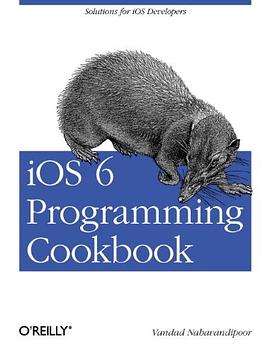
Overcome the vexing, real-life issues you confront when creating apps for the iPhone, iPad, or iPod Touch. By making use of new and revised recipes in this updated cookbook, you'll quickly learn the steps necessary for writing complete iOS apps - including ways to store and protect data, enhance and animate graphics, stabilize video captures, and take advantage of Passbook. Thoroughly updated for the iOS 6 SDK, this cookbook shows you how to use hundreds of techniques to solve problems that developers of all levels commonly face. Each recipe includes sample code you can use right away. Define the layout of UI elements with Cocoa Auto Layout Develop location-aware apps Get working examples for implementing gesture recognizers Use new Objective-C Runtime features Play audio and video files and access the iPod library Retrieve contacts and groups from the Address Book Determine camera availability and access the Photo Library Create multitasking-aware apps Use Event Kit to manage calendars, dates, and events Learn capabilities of the Core Graphics framework Access the accelerometer and gyroscope Enhance your app with the iCloud service
作者简介
目录信息
Introduction
Creating a Simple iOS App in Xcode
Understanding Interface Builder
Compiling iOS Apps
Running iOS Apps on the Simulator
Running iOS Apps on iOS Devices
Packaging iOS Apps for Distribution
Declaring Variables in Objective-C
Allocating and Making Use of Strings
Comparing Values in Objective-C with an if Statement
Implementing Loops with for Statements
Implementing while Loops
Creating Custom Classes
Defining Functionality for Classes
Defining Two or More Methods with the Same Name
Allocating and Initializing Objects
Adding Properties to Classes
Moving from Manual Reference Counting to Automatic Reference Counting
Typecasting with Automatic Reference Counting
Delegating Tasks with Protocols
Determining Whether Instance or Class Methods Are Available
Determining Whether a Class Is Available at Runtime
Allocating and Making Use of Numbers
Allocating and Making Use of Arrays
Allocating and Making Use of Dictionaries
Allocating and Making Use of Sets
Creating Bundles
Loading Data from the Main Bundle
Loading Data from Other Bundles
Sending Notifications with NSNotificationCenter
Listening for Notifications Sent from NSNotificationCenter
Chapter 2 Implementing Controllers and Views
Introduction
Displaying Alerts with UIAlertView
Creating and Using Switches with UISwitch
Customizing the UISwitch
Picking Values with UIPickerView
Picking the Date and Time with UIDatePicker
Implementing Range Pickers with UISlider
Customizing the UISlider
Grouping Compact Options with UISegmentedControl
Customizing the UISegmentedControl
Presenting and Managing Views with UIViewController
Presenting Sharing Options with UIActivityViewController
Implementing Navigation with UINavigationController
Manipulating a Navigation Controller’s Array of View Controllers
Displaying an Image on a Navigation Bar
Adding Buttons to Navigation Bars Using UIBarButtonItem
Presenting Multiple View Controllers with UITabBarController
Displaying Static Text with UILabel
Customizing the UILabel
Accepting User Text Input with UITextField
Displaying Long Lines of Text with UITextView
Adding Buttons to the User Interface with UIButton
Displaying Images with UIImageView
Creating Scrollable Content with UIScrollView
Loading Web Pages with UIWebView
Presenting Master-Detail Views with UISplitViewController
Enabling Paging with UIPageViewController
Displaying Popovers with UIPopoverController
Displaying Progress with UIProgressView
Listening and Reacting to Keyboard Notifications
Constructing and Displaying Styled Texts
Chapter 3 Auto Layout and the Visual Format Language
Introduction
Placing UI Components in the Center of the Screen
Defining Horizontal and Vertical Constraints with the Visual Format Language
Utilizing Cross View Constraints
Configuring Auto Layout Constraints in Interface Builder
Chapter 4 Constructing and Using Table Views
Introduction
Instantiating a Table View
Assigning a Delegate to a Table View
Populating a Table View with Data
Receiving and Handling Table View Events
Using Different Types of Accessories in a Table View Cell
Creating Custom Table View Cell Accessories
Displaying Hierarchical Data in Table Views
Enabling Swipe Deletion of Table View Cells
Constructing Headers and Footers in Table Views
Displaying Context Menus on Table View Cells
Moving Cells and Sections in Table Views
Deleting Cells and Sections from Table Views
Utilizing the UITableViewController for Easy Creation of Table Views
Displaying a Refresh Control for Table Views
Chapter 5 Storyboards
Introduction
Creating a Project with Storyboards
Adding a Navigation Controller to a Storyboard
Passing Data From One Screen to Another
Adding a Storyboard to an Existing Project
Chapter 6 Concurrency
Introduction
Constructing Block Objects
Accessing Variables in Block Objects
Invoking Block Objects
Dispatching Tasks to Grand Central Dispatch
Performing UI-Related Tasks with GCD
Executing Non-UI Related Tasks Synchronously with GCD
Executing Non-UI Related Tasks Asynchronously with GCD
Performing Tasks After a Delay with GCD
Performing a Task Only Once with GCD
Grouping Tasks Together with GCD
Constructing Your Own Dispatch Queues with GCD
Running Tasks Synchronously with Operations
Running Tasks Asynchronously with Operations
Creating Dependency Between Operations
Creating Timers
Creating Concurrency with Threads
Invoking Background Methods
Exiting Threads and Timers
Chapter 7 Core Location and Maps
Introduction
Creating a Map View
Handling the Events of a Map View
Pinpointing the Location of a Device
Displaying Pins on a Map View
Displaying Pins with Different Colors on a Map View
Displaying Custom Pins on a Map View
Converting Meaningful Addresses to Longitude and Latitude
Converting Longitude and Latitude to a Meaningful Address
Chapter 8 Implementing Gesture Recognizers
Introduction
Detecting Swipe Gestures
Detecting Rotation Gestures
Detecting Panning and Dragging Gestures
Detecting Long Press Gestures
Detecting Tap Gestures
Detecting Pinch Gestures
Chapter 9 Networking, JSON, XML, and Twitter
Introduction
Downloading Asynchronously with NSURLConnection
Handling Timeouts in Asynchronous Connections
Downloading Synchronously with NSURLConnection
Modifying a URL Request with NSMutableURLRequest
Sending HTTP GET Requests with NSURLConnection
Sending HTTP POST Requests with NSURLConnection
Sending HTTP DELETE Requests with NSURLConnection
Sending HTTP PUT Requests with NSURLConnection
Serializing Arrays and Dictionaries into JSON
Deserializing JSON into Arrays and Dictionaries
Integrating Twitter Functionality into Your Apps
Parsing XML with NSXMLParser
Chapter 10 Audio and Video
Introduction
Playing Audio Files
Handling Interruptions while Playing Audio
Recording Audio
Handling Interruptions while Recording Audio
Playing Audio over Other Active Sounds
Playing Video Files
Capturing Thumbnails from a Video File
Accessing the Music Library
Chapter 11 Address Book
Introduction
Requesting Access to the Address Book
Retrieving a Reference to an Address Book
Retrieving All the People in the Address Book
Retrieving Properties of Address Book Entries
Inserting a Person Entry into the Address Book
Inserting a Group Entry into the Address Book
Adding Persons to Groups
Searching the Address Book
Retrieving and Setting a Person’s Address Book Image
Chapter 12 Files and Folder Management
Introduction
Finding the Paths of the Most Useful Folders on Disk
Writing to and Reading from Files
Creating Folders on Disk
Enumerating Files and Folders
Deleting Files and Folders
Securing Files on Disk
Saving Objects to Files
Chapter 13 Camera and the Photo Library
Introduction
Detecting and Probing the Camera
Taking Photos with the Camera
Taking Videos with the Camera
Storing Photos in the Photo Library
Storing Videos in the Photo Library
Retrieving Photos and Videos from the Photo Library
Retrieving Assets from the Assets Library
Editing Videos on an iOS Device
Chapter 14 Multitasking
Introduction
Detecting the Availability of Multitasking
Completing a Long-Running Task in the Background
Receiving Local Notifications in the Background
Playing Audio in the Background
Handling Location Changes in the Background
Saving and Loading the State of Multitasking iOS Apps
Handling Network Connections in the Background
Handling Notifications Delivered to a Waking App
Responding to Changes in App Settings
Opting Out of Multitasking
Chapter 15 Core Data
Introduction
Creating a Core Data Model with Xcode
Generating Class Files for Core Data Entities
Creating and Saving Data Using Core Data
Reading Data from Core Data
Deleting Data from Core Data
Sorting Data in Core Data
Boosting Data Access in Table Views
Implementing Relationships in Core Data
Chapter 16 Dates, Calendars, and Events
Introduction
Retrieving the List of Calendars
Adding Events to Calendars
Accessing the Contents of Calendars
Removing Events from Calendars
Adding Recurring Events to Calendars
Retrieving the Attendees of an Event
Adding Alarms to Calendars
Handling Event Changed Notifications
Presenting Event View Controllers
Presenting Event Edit View Controllers
Chapter 17 Graphics and Animations
Introduction
Enumerating and Loading Fonts
Drawing Text
Constructing, Setting, and Using Colors
Drawing Images
Constructing Resizable Images
Drawing Lines
Constructing Paths
Drawing Rectangles
Adding Shadows to Shapes
Drawing Gradients
Displacing Shapes Drawn on Graphic Contexts
Scaling Shapes Drawn on Graphic Contexts
Rotating Shapes Drawn on Graphic Contexts
Animating and Moving Views
Animating and Scaling Views
Animating and Rotating Views
Chapter 18 Core Motion
Introduction
Detecting the Availability of an Accelerometer
Detecting the Availability of a Gyroscope
Retrieving Accelerometer Data
Detecting Shakes on an iOS Device
Retrieving Gyroscope Data
Chapter 19 iCloud
Introduction
Setting Up Your App for iCloud
Storing and Synchronizing Dictionaries in iCloud
Creating and Managing Folders for Apps in iCloud
Searching for Files and Folders in iCloud
Storing User Documents in iCloud
Managing the State of Documents in iCloud
Handling Conflicts in iCloud Documents
Chapter 20 Pass Kit
Introduction
Creating Pass Kit Certificates
Creating Pass Files
Providing Icons and Images for Passes
Preparing Your Passes for Digital Signature
Signing Passes Digitally
Distributing Passes Using Email
Distributing Passes Using Web Services
Enabling Your iOS Apps to Access Passes on iOS Devices
Interacting with Passbook Programmatically
Colophon
· · · · · · (收起)
读后感
我看过了 我看过了 我看过了 我看过了 我看过了 我看过了 我看过了 我看过了 我看过了 我看过了 我看过了 我看过了 我看过了 我看过了 我看过了 我看过了 我看过了 我看过了 我看过了 我看过了 我看过了 我看过了 我看过了 我看过了 我看过了 我看过了 我看过了 我看过了 我看...
评分我看过了 我看过了 我看过了 我看过了 我看过了 我看过了 我看过了 我看过了 我看过了 我看过了 我看过了 我看过了 我看过了 我看过了 我看过了 我看过了 我看过了 我看过了 我看过了 我看过了 我看过了 我看过了 我看过了 我看过了 我看过了 我看过了 我看过了 我看过了 我看...
评分我看过了 我看过了 我看过了 我看过了 我看过了 我看过了 我看过了 我看过了 我看过了 我看过了 我看过了 我看过了 我看过了 我看过了 我看过了 我看过了 我看过了 我看过了 我看过了 我看过了 我看过了 我看过了 我看过了 我看过了 我看过了 我看过了 我看过了 我看过了 我看...
评分我看过了 我看过了 我看过了 我看过了 我看过了 我看过了 我看过了 我看过了 我看过了 我看过了 我看过了 我看过了 我看过了 我看过了 我看过了 我看过了 我看过了 我看过了 我看过了 我看过了 我看过了 我看过了 我看过了 我看过了 我看过了 我看过了 我看过了 我看过了 我看...
评分废话不说,Cookbook总是很实用很实用很实用的那类... 第一章:Basic,介绍了怎么用obj-c完成日常操作,比如建立数组、字符串、dict、set,修改,初始化,class系统等等基础知识... 其它语言的新手,必须认真读。 其后几章,讲了MVC和Storyboard需要认真读一下,虽然天下MVC是...
用户评价
这本书的阅读体验,说实话,给我一种回到大学时代啃技术手册的感觉,纸张的质感和排版风格都散发着一种严谨、不花哨的气息。我更看重它在“跨平台兼容性”这个角度的讨论,尽管 iOS 平台内部版本迭代是主线,但对于当时正在探索从 Objective-C 向 C++ 混编过渡的团队来说,这本书如何处理这些底层衔接问题至关重要。我希望它能提供一些关于如何高效地在 Objective-C 和 C++ 之间传递复杂数据结构(比如 `NSString` 和 `std::string` 的转换)的范例,并且这些范例必须考虑到 iOS 6 时代的内存模型。如果书中能有专门的章节讨论如何利用当时新兴的 `Grand Central Dispatch (GCD)` 特性来优化那些在旧硬件上容易卡顿的 I/O 操作,并给出具体的线程安全处理模式,那将是巨大的加分项。我特别关注它对当时流行的第三方库集成方面的见解,比如如何优雅地将一个需要在更高 iOS 版本才能稳定运行的库,通过条件编译或运行时检测的方式,在 iOS 6 环境下提供一个降级的、功能相似的替代方案。这种对“向前兼容”与“向后兼容”的平衡艺术的探讨,是这本书的试金石。
评分我注意到这本书的结构组织得非常注重实用性,它似乎是按照开发者日常会遇到的问题域来划分章节的,而不是按照苹果官方的框架划分。这种以“任务为导向”的编排方式,极大地提高了查找效率。我着重翻阅了关于“用户界面定制”的部分。在 iOS 6,很多我们现在习以为常的界面元素,在当时都需要大量手动布局。我期待看到如何利用 `Auto Layout` 的早期版本(如果书中涉及的话,或者如何优雅地避开它的早期缺陷)来实现复杂视图的尺寸计算。一个特别吸引我的点是关于“富文本渲染”的章节。在当时,处理复杂的、带内嵌图片的富文本(不是简单的 `UILabel` 能搞定的)是一个巨大的痛点。如果这本书能提供一套基于 `Core Text` 的,能够适应 iOS 6 屏幕密度变化的渲染引擎骨架代码,并且能解释清楚在那个版本下,如何处理字体子集和内存占用,那么它就超越了一般的编程指南。这种对特定、高难度 UI 问题的深度剖析,才是真正体现一本“Cookbook”价值的地方。
评分这本书的封面设计有一种复古的科技感,配色上偏向于早期苹果产品的沉稳色调,这让初次接触它的读者会立刻联想到那段移动开发的黄金时代。我期待它能像一本真正的“菜谱”一样,提供那些在官方文档中难以找到的、实用的、可以直接复制粘贴并微调就能解决具体问题的代码片段。我尤其关注它在处理早期 iOS 6 特有 API 时的深度,例如 `ARC` 刚普及不久时,内存管理那些微妙的陷阱,以及在那个时代,如何高效地进行 `UIWebView` 的定制化开发,毕竟在那个时代,`WKWebView` 尚未成为主流。如果它能深入讲解那个版本特定的性能优化技巧,比如如何避免在 `viewDidLoad` 中进行大量耗时的同步操作,或者如何利用当时最新的 `Core Animation` 特性来创建流畅的视觉效果,那将是物超所值。我希望它不是泛泛而谈,而是能深入到那些“只有老兵才知道”的坑点,提供具体的、经过实战检验的解决方案。例如,在处理当时 `UITableView` 的 `cellForRowAtIndexPath:` 中的视图复用逻辑时,有哪些特定于 iOS 6 的性能瓶颈,以及如何巧妙地绕过它们。这种“实战智慧”的传递,远比单纯的 API 罗列来得更有价值。
评分翻开这本书的目录,我立刻被其中对“逆向工程思维”的暗示所吸引。它似乎没有满足于仅仅介绍苹果官方推荐的最佳实践,而是深入挖掘了系统内部的一些工作机制,这对于那些不甘于只停留在应用层面的开发者来说,无疑是一剂强心剂。我特别想看它如何处理当时设备碎片化带来的挑战——毕竟 iOS 6 跨越了从老旧的 iPhone 3GS 到新发布的 iPhone 5 之间的巨大屏幕和性能差异。一个优秀的“菜谱”应该能告诉我,如何写出一套既能兼容低端设备,又能充分利用新硬件特性的代码。我关注其中关于自定义 `UINavigationController` 行为的章节,在那个时代,调整导航栏的外观和行为往往需要大量“黑客”技巧,如果这本书能提供一套清晰、可维护的实现方案,而不是简单地堆砌一堆私有 API 调用,那它的价值就体现出来了。此外,对于当时的 `Core Data` 迁移策略,尤其是在处理用户本地数据版本升级时,那些绕过官方工具限制的技巧,也是我非常期待的内容。这本书的深度应该能让那些在项目维护阶段遭遇棘手问题的开发者,找到柳暗花明的出口。
评分从整体氛围来看,这本书散发着一种对“系统级优化”的执着追求。它不只是教你如何“实现功能”,更是在教你如何“实现高性能”的功能。我最想挖掘的是它在“离线数据持久化”方面的策略。在 3G 网络还不够普及的时代,应用必须具备强大的离线能力。我希望看到它对比当时流行的几种数据存储方案(比如轻量级的 `SQLite` 封装与 `Core Data` 的性能权衡),并针对 iOS 6 的内存限制,给出具体的数据缓存和过期策略。例如,如何设计一个高效的后台同步机制,它能在应用被挂起时最小化 CPU 和网络资源的占用,并且在系统唤醒时能迅速恢复状态。如果书中包含了如何利用当时可用的 `Background Fetch` 机制的早期技巧(即便功能有限),并结合 `NSOperationQueue` 进行复杂的并发任务管理,那就太棒了。这本书如果能体现出对底层系统资源限制的深刻理解,并提供成熟的解决方案,它就不只是一本关于 iOS 6 的书,而是关于如何在资源受限环境中构建健壮应用的经典教材。
评分手把手教控件...巨长无比......... 入门还是很不错的
评分手把手教控件...巨长无比......... 入门还是很不错的
评分我想说的是 2013年1月22号出版的书为毛我今天就看完了 =。= 是这本书穿越了,还是我穿越了 。。。。。
评分我覺得這書應該給5分的,介紹得很全面,對於知道基本ObjC知識的人來說完全夠了。有些錯字。部分重要API沒有介紹,比如4.11沒講用戶移動操作, 對undo/redo等一些重要部分也只字未提,而且iOS 6新出來的一些牛逼功能比如UICollectionView也沒介紹。當然了,沒有任何書可以替代上萬頁的官方文檔,這書做得很不錯了。 @2013-06-08 09:47:09
评分其实也不只是谈很表层很基础的技术实现方案,很多细节在处理问题的方法上挺有启发。