
具体描述
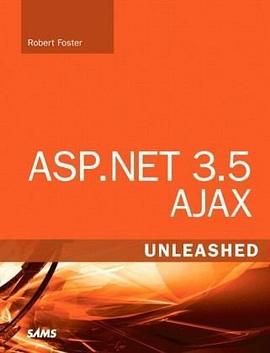
As the Internet user experience (UX) progresses, more users are demanding and expecting their custom-built business applications to provide the same UX that they see on the Internet every day. "ASP.NET 3.5 AJAX Unleashed" empowers ASP.NET developers to easily provide this type of experience with minimal code. Author Rob Foster has built AJAX-enabled web applications for a number of major corporations and uses the experience he has gained there to explain concisely, clearly, and completely what ASP.NET developers need to learn to start taking advantage of the rich opportunities made possible by ASP.NET AJAX. UL LILearn ASP.NET AJAX by working with real-world examples/LI LIUse the ScriptManager and ScriptManagerProxy controls in your ASP.NET AJAX-enabled applications/LI LILeverage the ASP.NET AJAX client-side API to maximize the flexibility of ASP.NET AJAX/LI LIBuild applications that use the UpdatePanel and Timer controls/LI LIUse the ASP.NET AJAX Control Toolkit to provide rich AJAX functionality to your web applications/LI LIBuild ASP.NET AJAX-enabled extender controls/LI LIIntegrate ASP.NET AJAX and .NET 3.5 with Microsoft Office SharePoint Server 2007/LI LICreate ASP.NET AJAX-enabled Windows Vista Gadgets/LI LILearn advanced AJAX concepts such as JavaScript Object Notation (JSON) and WCF Web services/LI/UL Introduction 1 Part I Introduction Chapter 1 Introduction to AJAX Technologies 5 AJAX and Web 2.0 6 Why Use AJAX? 7 AJAX Rationale 7 AJAX: An Example 8 The XMLHttpRequest Object 8 A Simple AJAX Library 10 Using the AJAX Library 14 Summary 20 Chapter 2 Introduction to ASP.NET AJAX 21 Introducing the Visual Studio Controls 22 ScriptManager 22ScriptManagerProxy 23 Timer 23 UpdatePanel 23 UpdateProgress 23 Introducing the Visual Studio Projects and Web Site Items 24 Projects 24 Web Site Items 25 Introducing the AJAX Control Toolkit 26 Summary 27 Part II Working with ASP.NET 3.5 AJAX Chapter 3 The ScriptManager and ScriptManagerProxy Controls 31 About the ScriptManager Control. 31 ScriptManager Properties, Methods, and Events 34 JavaScript Proxy Classes for Web Services 37 Partial-Page Rendering 43 Summary 47 Chapter 4 The ASP.NET AJAX Client API 49 The Namespaces 49 Global 49 Sys 52 Sys.Net 53 Sys.Serialization 54 Sys.Services 62 Sys.UI 66 Sys.WebForms 68 Summary 71 Chapter 5 The UpdatePanel and Timer Controls 73 About the UpdatePanel Control 73 Using the UpdatePanel Control 74 Advanced Features of the UpdatePanel Control 78 Triggers 78 Multiple UpdatePanel Controls on a Single Page 81 The Timer Control 89 Using the Timer Control with Partial-Page Rendering 90 Summary 92 Chapter 6 Advanced Techniques with the ASP.NET AJAX PageRequestManager Object 93 Using the PageRequestManager Object 93 A Practical Example of the PageRequestManager Object 95 Summary 100 Chapter 7 Using the ASP.NET AJAX Control Toolkit 101 ASP.NET AJAX Control Toolkit: The Controls 102 Using Controls in the ASP.NET AJAX Control Toolkit 105 Configuring Visual Studio to Use the Toolkit 105 The Accordion and AccordionPane Controls 106 The CalendarExtender Control 110 The CollapsiblePanelExtender Control 112 The ConfirmButtonExtender Control 118 The DragPanelExtender Control 120 The DropDownExtender Control 122 The FilteredTextBoxExtender Control 125 The HoverMenuExtender Control 127 The TextBoxWatermarkExtender Control 130 ASP.NET AJAX Control Toolkit: APractical Example 134 Using the ASP.NET AJAX Control Toolkit with Microsoft Expression Web 145 Configuring Expression Web for the ASP.NET AJAX Control Toolkit 145 Summary 150 Chapter 8 Building an ASP.NET AJAX Extender Control 151 Add ASP.NET Controls 151 How to Build an Extender Control 154 Server-Side Code 156 Client-Side Code 159 Summary 163 Chapter 9 ASP.NET AJAX and SharePoint 2007 165 SharePoint and AJAX 165 Modifying Web.Config 166 Developing an AJAX-Based SharePoint Web Part 171 Summary 177 Chapter 10 Creating ASP.NET AJAX-Enabled Vista Sidebar Gadgets 179 Vista Sidebar Gadgets 179 Creating the Gadget 181 Create the Web Service 181 Generate the JavaScript Proxy 183 Create the Vista Gadget 186 Test the Gadget 187 Summary 188 Part III Appendices Appendix A Microsoft Expression Web 191 An Introduction to the Expression Web Interface 191 Creating Web Pages and Web Sites 191 Customizable Interface 194 Creating Standards-Based Web Sites 198 Quickly Build Standards-Based Sites 198 Code Formatting and IntelliSense 202 Autoformatting Code 202 IntelliSense 204 XML and XSLT Tools in Expression Web 204 Drag and Drop XML 205 Creating and Updating XSL 207 Summary 209 Appendix B Deploying the .NET Framework 3.5 as a SharePoint Feature 211 Features and Solutions 211 Creating the Solution 213 Using Visual Studio 214 Creating the Feature Receiver 218 Deploying the Solution to SharePoint 228 Compiling the Solution 228 Running STSADM.EXE to Register the Solution 234 Deploying the Solution Using SharePoint Central Management 235 Activating the Feature 237 Summary 239 Index 241
作者简介
目录信息
读后感
用户评价
坦白讲,我购买这本书的动机,更多是基于对作者(虽然此处不便提及具体名字,但其在该领域的影响力是毋庸置疑的)过去作品的一贯信赖。他的写作风格总是那么精准而富有洞察力,总能从一个看似普通的开发场景中,挖掘出隐藏的性能陷阱和设计哲学。我关注的焦点在于,在.NET 3.5这个特定技术栈的背景下,这本书如何处理跨浏览器兼容性和性能调优的权衡问题。那个时代的Web开发环境充满了各种怪异的Bug和非标准行为,如何用一套.NET提供的框架去稳定地驯服这些野兽,是衡量一本技术书是否“够格”的重要标准。我希望书中能够包含大量关于如何诊断疑难杂症的“故障排除章节”,而不是仅仅停留在“实现功能”的层面。如果这本书能提供一套坚实的调试心法和性能分析工具的使用指南,那么它在我的技术书架上的地位将无可替代。这是一种对作者专业素养的投资,期待这本书能带来超越预期的知识深度和实战指导。
评分我过去尝试过几本关于AJAX与ASP.NET结合的入门书籍,但它们通常都止步于展示如何拖拽控件然后期待它自动工作,对于背后的HTTP请求、ViewState的优化处理,以及如何编写出既高性能又易于维护的脚本,几乎没有深入探讨。我需要的不是一个“点石成金”的魔法工具书,而是一个能让我理解“魔法”如何发生的“炼金术”指南。我希望能从这本书中找到关于如何优雅地处理客户端回调失败、如何有效地管理大型复杂界面状态的深度见解。例如,当应用规模扩大后,如何避免脚本之间的命名冲突?如何利用服务器端资源优化数据传输的序列化和反序列化过程?这本书的篇幅和厚度让我有理由相信,它不会回避这些真正困扰资深开发人员的“脏活累活”。我希望它能提供一套系统的方法论,指导我从一个仅仅会“用”AJAX到真正能“驾驭”异步通信的专家级别转变。期待它能提供真正打破陈规、超越官方文档的实战经验。
评分这本书的封面设计简直是视觉上的享受,那种深邃的蓝色调配上简洁有力的标题字体,立刻让人联想到高科技与稳定可靠的后端技术。我是在一个技术论坛上被朋友安利后特意去书店淘到的,当时的感受是,光是捧着它,就能感受到一种沉甸甸的专业气息。我个人对前端的动态交互一直抱有浓厚的兴趣,但苦于找不到一本能深入浅出讲解如何将复杂的服务器端逻辑与流畅的客户端体验完美结合的权威指南。市面上很多书籍要么过于侧重基础的HTML/CSS,要么就是直接跳到各种框架的API层面,对于底层原理的剖析总是蜻蜓点水。这本书的厚度本身就说明了其内容的广度和深度,我尤其期待它能详细拆解那些看似“魔法”般的异步调用是如何在.NET生态系统内部无缝运作的。封面给我的第一印象是,这不是一本应付考试的教科书,而是一本真正面向实战、愿意把“内脏”都展示给读者的硬核技术手册。那种对技术细节的尊重,从包装上就已经体现得淋漓尽致,让人迫不及待想翻开第一页,一探究竟。
评分这本书的装帧质量无疑是业界顶尖水准,纸张的触感非常细腻,即便是长时间阅读,油墨也不会在指尖留下任何残留,这对于长时间伏案工作的开发者来说,是一个非常人性化的细节考量。我注意到书页的裁切边缘非常平整光滑,没有丝毫毛刺,这让快速翻阅特定章节时感觉非常顺畅,不会有任何阻滞感。更值得称赞的是,它的装订工艺看起来非常结实,预感即便是经常被翻阅、标注甚至随身携带,这本书也能保持长久的物理完整性,不会出现中途散页的尴尬情况。在如今这个很多技术书籍都倾向于使用廉价纸张以降低成本的时代,出版商在物理品质上的坚持,本身就传达了一种对内容价值的自信和对读者体验的尊重。这种对实体媒介的重视,在某种程度上,也暗示了内容本身不会是那种“速朽”的短期技术热点,而是经过时间沉淀的、具有长期参考价值的知识体系。这种对细节的打磨,让人感到物有所值,而不是买了一本很快就会被新版本替代的“快餐读物”。
评分这本书的排版设计,说实话,比很多近年的技术书籍都要来得清晰明了,字体选择上偏向于传统的衬线体与无衬线体的合理搭配,使得代码块和正文的区分度极高。我特别欣赏它在代码示例的处理上所下的功夫,所有的代码片段都采用了足够的行距和清晰的语法高亮,即便是对照屏幕阅读,也不会感到眼睛疲劳。更关键的是,每段代码的旁边都有详尽的注释,这些注释似乎不是那种敷衍的“这是干什么的”,而是深入解释了“为什么这么做,以及如果不这样做会带来什么后果”。这种“解释性注释”才是真正有价值的教学辅助。在很多技术书中,代码往往是密密麻麻的一团,阅读体验极差。这本书显然在用户体验设计上投入了大量的精力,确保读者能够专注于理解逻辑,而不是在试图辨认括号和分号上浪费精力。这对于需要反复查阅和学习的工具书来说,是一个巨大的优势。
评分 评分 评分 评分 评分