
具体描述
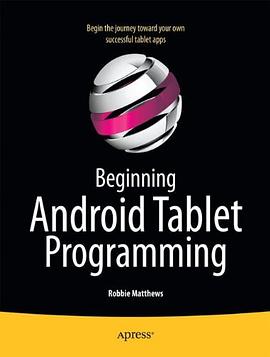
Beginning Android Tablet Programming starts off by showing how to get your system ready for Android tablet programming. You won't need any previous Android experience, because you'll learn all about the basic structure of an Android program and how the Android operating system works--and then you'll learn how to write your first Android tablet application from scratch! Beginning Android Tablet Programming then equips you to build a set of interesting and fully-working Android tablet applications. These projects will give you the inspiration and insights to build your own Android programs in the future. You'll be introduced to 2D programming, and you'll see what you can do with a touch screen interface and the Honeycomb SDK. Of course, 3D programming is even more alluring for many programmers. If that includes you, you'll learn about how Honeycomb has changed the game for Android graphics programming, and get your first taste of 3D programming on an Android tablet. Lights, camera, action! You'll learn along the way how Android Honeycomb gives you access, through your programming, to all those interesting sensors that tablet computers are equipped with today--beyond the touch screen itself. You'll learn, for example, how you to use a tablet GPS sensor to locate your car! You'll also discover how you can access files on your tablet--or on the web--through programming, and then build on that insight to create your own file browser application. This Android project contains many useful coding techniques appropriate for many situations you might encounter in your future programming Android tablet applications; you'll be glad to have them under your belt. So do you want to write programs that can receive and send reminder messages via SMS? Do you want to write your first 2D or 3D game on Android? Perhaps you'd like to write an application that sorts out all your contacts for you! Beginning Android Tablet Programming introduces you to Android tablet programming, and shows how you can program your Android tablet from scratch to do what you want! What you'll learn * Programming for a touch screen environment * Learn about the new facilities available from Android 3.0 Honeycomb * Take advantage of sensors and data feeds while writing entirely new applications * Code a game for an Android tablet * How to write Android tablet programs code in programming languages other than Java * Transition from an Android smart phone environment to an Android tablet Who this book is for * Beginning and intermediate Android programmers * Intermediate Java programmers * Intermediate programmers in open-source programming languages, especially Python Table of Contents *Getting Started *How Android Works *What You Can Do with an Android Tablet *Beyond Java: Programming in Python and Friends *Project 1: Media Player *Explorer:An Android File Explorer *Contact Manager:and other potentially useful applications *Dude, Where's My Car?:Adventures in GPS *Let the games begin!: Some 2d and 3d graphical game techniques *Remind Me:Playing with Alarms and SMS *Everything Else: Advanced Techniques and other stuff
作者简介
目录信息
读后感
用户评价
阅读这本书的过程,感觉就像是跟着一个非常热衷于展示自己“成果”的导游在参观一个巨大的、但分区混乱的建筑群。作者似乎急于想把所有他认为“重要”的安卓特性都塞进这本书里,从基础的UI布局到数据库集成,再到传感器交互,内容覆盖面广得惊人。然而,这种广度是以牺牲深度为代价的。很多关键的、决定应用质量的优化技巧,比如内存泄漏的排查方法、如何高效利用协程进行并发控制、或是针对不同尺寸平板进行自适应布局的深入策略,在书中仅仅是一笔带过,寥寥数语,仿佛点到为止即可。这对于追求卓越性能和用户体验的开发者来说是远远不够的。我更希望看到的是对特定挑战场景的深入剖析,比如如何处理平板横竖屏切换时数据状态的保存与恢复,这是一个平板应用开发中极其常见且棘手的问题,但在本书中,相关的讲解显得相当单薄和通用化。它更像是一本“什么都有一点”的工具箱,但当你真正需要一把特定的、能拧紧关键螺丝的专业扳手时,却发现里面只有一把万能钥匙,效果平平。
评分这本书的叙事风格,坦白讲,非常具有学术性,或者说,相当的“官方”。它倾向于用非常正式的语言来描述技术概念,每一个概念的引入都遵循着严谨的逻辑链条,但这使得整个阅读过程显得枯燥且缺乏必要的“人情味”。编程学习,尤其是涉及到平台特性的学习,常常需要一些生动的比喻或者从实际开发痛苦中总结出的“黑魔法”来加深理解。很遗憾,这本书在这方面表现得非常保守。当讲到自定义View和绘制流程时,那些复杂的数学公式和坐标系变换,如果能配上更直观的图示或者更生活化的解释,学习曲线就会平缓很多。现在的内容,更像是对安卓SDK文档的重新组织和转述,而非一位富有激情的导师在为你答疑解惑。我发现自己常常需要在阅读完一个章节后,立刻跳到YouTube上去搜索相关的视频教程,因为视频中生动的演示和快速的反馈,才能真正帮助我将书本上冰冷的文字转化为脑海中立体的结构概念。对于依赖视觉学习的读者来说,这本书的文字密度和缺乏生动性的描述,构成了不小的阅读障碍。
评分这本号称能带你“从零开始”的平板编程指南,说实话,在实际操作层面,给我的体验相当复杂。初拿到手时,厚实的装帧和满满的章节列表,确实让人对它寄予厚望,以为能一步步搭建起坚实的安卓开发基础。然而,深入阅读后,我发现它在讲解核心概念时,往往显得有些浅尝辄止。比如,涉及到复杂的生命周期管理或者异步任务处理时,它提供的代码示例虽然能跑起来,但背后的“为什么”解释得不够透彻,更像是教科书式的罗列,而非经验丰富的工程师的娓娓道来。对于一个真正想吃透安卓底层逻辑的初学者而言,这本书更像是一份“操作手册”,告诉你“怎么做”,却很少深入挖掘“为什么会这样”。更让我感到困扰的是,书中引用的某些API版本似乎有些滞后,尽管这点在实体书中难以避免,但在实际动手敲代码时,频繁地查阅官方文档来修正过时的语法和最佳实践,极大地打断了学习的流畅性,让人不得不时刻提醒自己,手中的这本书可能已经跟不上当前安卓生态的迭代速度了。总体来说,它提供了一个不错的起点框架,但要真正掌握平板应用的精髓,读者需要投入大量时间去阅读官方文档和更现代的在线资源进行补充和修正。
评分从排版和易用性的角度来看,这本书的体验也存在一些可以改进的地方。虽然纸张质量尚可,但图文混排的效率有待商榷。很多关键的代码块被放置得过于分散,缺乏一个清晰的上下文关联。更令人不解的是,对于那些经常需要查阅的代码片段,它没有提供清晰的索引或者便捷的“速查表”。对于初学者而言,当他们遇到一个错误并试图回溯代码逻辑时,需要频繁地在不同章节之间来回翻找,效率极低。此外,书中似乎对平板特有的用户交互范式(如分屏模式、手写笔支持的深度集成)的处理非常谨慎,更多地是将平板视为一个“放大版的手机”,这与平板设备作为生产力工具的定位相去甚远。优秀的平板编程书籍应该鼓励开发者去思考大屏幕带来的全新交互可能性,而不是仅仅教你如何把手机App拉伸。这本书在这方面的引导略显保守,错失了激发读者对平板平台创新潜能的良机,使得学习的兴奋感不如预期强烈。
评分我必须指出,这本书在项目结构和工程实践上的指导,留给我一个“旧时代”的感觉。虽然它覆盖了安卓开发的基础技术栈,但它似乎没有充分融入现代安卓架构组件(Architecture Components)的理念。在讲解数据持久化时,它可能更多地侧重于传统的SQLiteOpenHelper,而对Room持久性库的使用介绍得不够深入,或者说,没有强调其作为官方推荐方案的优势。同样,在处理架构分层时,传统的MVC或简单的MVP模式被提及,但MVVM结合LiveData和ViewModel的最佳实践,在书中似乎没有得到应有的重视和系统性的构建。在一个追求响应式编程和解耦的时代,一个好的入门教材应该引导读者建立健壮、可测试、易于维护的项目骨架。这本书的例子大多是独立的、小型的片段式应用,缺少一个贯穿始终、逐渐增添复杂特性的真实项目来串联所有知识点。这使得读者在学完之后,如果尝试将这些碎片化的知识整合到一个大型项目中,会发现自己缺乏一个完整的、经过实战检验的工程蓝图作为参考。
评分 评分 评分 评分 评分