
具体描述
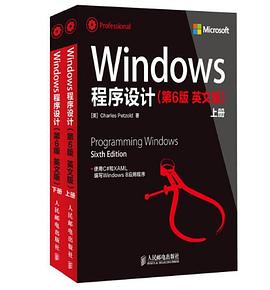
《Windows 程序设计(第6版)(英文版)(套装上下册)》系经典图书《Windows程序设计》的第6版,全书为最新的Windows 8操作系统进行了改写。作者在《Windows 程序设计(第6版 英文版)》中细致地介绍了如何使用现有的C#技能和XAML以及Windows Runtime,创建全屏幕的Windows 8触摸应用程序,内容包括创建和初始化对象、管理和试验动态布局、创建Windows Runtime库、使用MVVM进行数据绑定和控制、使用及编写异步方法、动画过渡和创建2D和3D特效等,此外书中还介绍了操纵位图和富文本、使用GPS和方向传感器、调用Win32和DirectX函数、启用共享、搜索和打印等应用开发技能。
《Windows 程序设计(第6版)(英文版)(套装上下册)》适合各个层级的Windows开发爱好者阅读使用。
作者简介
Charles Petzold编写《Windows程序设计》一书已有25年。他曾经获得过Windows Pioneer奖,是经典之作《Windows程序设计》、广受欢迎的《Code: The Hidden Language of Computer Hardware》和《Software, Programming Windows Phone 7》以及其他10余本专著的作者。
目录信息
Chapter 1 Markup and Code
The First Project
Graphical Greetings
Variations in Text
Media As Well
The Code Alternatives
Images in Code
Not Even a Page
Chapter 2 XAML Syntax
The Gradient Brush in Code
Property Element Syntax
Content Properties
The TextBlock Content Property
Sharing Brushes (and Other Resources)
Resources Are Shared
Exploring Vector Graphics
Stretching with Viewbox
Styles
A Taste of Data Binding
Chapter 3 Basic Event Handling
The Tapped Event
Routed Event Handling
Overriding the Handled Setting
Input, Alignment, and Backgrounds
Size and Orientation Changes
Bindings to Run?
Timers and Animation
Chapter 4 Presentation with Panels
The Border Element
Rectangle and Ellipse
The StackPanel
Horizontal Stacks
WhatSize with Bindings (and a Converter)
The ScrollViewer Solution
Layout Weirdness or Normalcy?
Making an E-Book
Fancier StackPanel Items
Deriving from UserControl
Creating Windows Runtime Libraries
The Wrap Alternative 130
The Canvas and Attached Properties
The Z-Index
Canvas Weirdness
Chapter 5 Control Interaction
The Control Difference
The Slider for Ranges
The Grid
Orientation and Aspect Ratios
Slider and the Formatted String Converter
Tooltips and Conversions
Sketching with Sliders
The Varieties of Button Experience
Defi ning Dependency Properties
RadioButton Tags
Keyboard Input and TextBox
Touch and Thumb
Chapter 6 WinRT and MVVM
MVVM (Brief and Simplifi ed)
Data Binding Notifi cations
A View Model for ColorScroll
Syntactic Shortcuts
The DataContext Property
Bindings and TextBox
Buttons and MVVM
The DelegateCommand Class
Chapter 7 Asynchronicity
Threads and the User Interface
Working with MessageDialog
Callbacks as Lambda Functions
The Amazing await Operator
Cancelling an Asynchronous Operation
Approaches to File I/O
Application Local Storage
File Pickers
Bulk Access
File Pickers and File I/O
Handling Exceptions
Consolidating Async Calls
Streamlined File I/O
Application Lifecycle Issues
Your Own Asynchronous Methods
Chapter 8 App Bars and Popups
Implementing Context Menus
The Popup Dialog
Application Bars
The Application Bar Button Style
Inside the Segoe UI Symbol Font
App Bar CheckBox and RadioButton
An App Bar for a Note Pad
Introducing XamlCruncher
Application Settings and View Models
The XamlCruncher Page
Parsing the XAML
XAML Files In and Out
The Settings Dialog
Beyond the Windows Runtime
Chapter 9 Animation
The Windows.UI.Xaml.Media.Animation Namespace
Animation Basics
Animation Variation Appreciation
Other Double Animations
Animating Attached Properties
The Easing Functions
All-XAML Animations
Animating Custom Classes
Key Frame Animations
The Object Animation
Predefi ned Animations and Transitions
Chapter 10 Transforms
A Brief Overview
Rotation (Manual and Animated)
Visual Feedback
Translation
Transform Groups
The Scale Transform
Building an Analog Clock
Skew
Making an Entrance
Transform Mathematics
The CompositeTransform
Geometry Transforms
Brush Transforms
Dude, Where’s My Element?
Projection Transforms
Deriving a Matrix3D
Chapter 11 The Three Templates
Data in a Button
Making Decisions
Collection Controls and the Real Use of DataTemplate
Collections and Interfaces
Tapping and Selecting
Panels and Virtualizing Panels
Custom Panels
The Item Template Bar Chart
The FlipView Control
The Basic Control Template
The Visual State Manager
Using generic.xaml
Template Parts
Custom Controls
Templates and Item Containers
Chapter 12 Pages and Navigation
Screen Resolution Issues
Scaling Issues
Snap Views
Orientation Changes
Simple Page Navigation
The Back Stack
Navigation Events and Page Restoration
Saving and Restoring Application State
Navigational Accelerators and Mouse Buttons
Passing and Returning Data
Visual Studio’s Standard Templates
View Models and Collections
Grouping the Items
PART II SPECIALTIES
Chapter 13 Touch, Etc.
A Pointer Roadmap
A First Dab at Finger Painting
Capturing the Pointer
Editing with a Popup Menu
Pressure Sensitivity
Smoothing the Tapers
How Do I Save My Drawings?
Real and Surreal Finger Painting
A Touch Piano
Manipulation, Fingers, and Elements
Working with Inertia
An XYSlider Control
Centered Scaling and Rotation
Single-Finger Rotation
Chapter 14 Bitmaps
Pixel Bits
Transparency and Premultiplied Alphas
A Radial Gradient Brush
Loading and Saving Image Files
Posterize and Monochromize
Saving Finger Paint Artwork
HSL Color Selection
Reverse Painting
Accessing the Pictures Library
Capturing Camera Photos
Chapter 15 Going Native
An Introduction to P/Invoke
Some Help
Time Zone Information
A Windows Runtime Component Wrapper for DirectX
DirectWrite and Fonts
Confi gurations and Platforms
Interpreting Font Metrics
Drawing on a SurfaceImageSource
Chapter 16 Rich Text
Private Fonts
A Taste of Glyphs
Font Files in Local Storage
Typographical Enhancements
RichTextBlock and Paragraphs
RichTextBlock Selection
RichTextBlock and Overfl ow
The Perils of Pagination
Rich Editing with RichEditBox
Your Own Text Input
Chapter 17 Share and Print
Settings and Popups
Sharing Through the Clipboard
The Share Charm
Basic Printing
Printable and Unprintable Margins
The Pagination Process
Custom Printing Properties
Printing a Monthly Planner
Printing a Range of Pages
Where To Do the Big Jobs?
Printing FingerPaint Art
Chapter 18 Sensors and GPS
Orientation and Orientation
Acceleration, Force, Gravity, and Vectors
Follow the Rolling Ball
The Two Norths
Inclinometer = Accelerometer + Compass
OrientationSensor = Accelerometer + Compass
Azimuth and Altitude
Bing Maps and Bing Map Tiles
Chapter 19 Pen (Also Known as Stylus)
The InkManager Collections
The Ink Drawing Attributes
Erasing and Other Enhancements
Selecting Strokes
The Yellow Pad
Index
· · · · · · (收起)
读后感
关于翻译: 比之前的版本的翻译有了进步。 比如我手里有个电子版的中文版,不知道是谁翻译的,效果极差,例如将指针翻译成指标,将call翻译成呼叫。。句子更不顺。所以与它比较起来,此版好多了。 但是因为每章翻译人员不一样,我还没有全部读,所以不能全面肯定。 第一章,翻...
评分哪位朋友有这本书中的例子程序吗, 有的话,如果能发份给我,非常感激 4klastwish@gmail.com
评分经典,内容很全.需要先学会C语言才能看懂这本书. 对于函数的用法要熟练.win32api就是C语言函数.
评分大一下学期,从五一节开始读的。三本书,当时还在网上买的盗版,质量奇差。可惜我只把第一本书的大半部分读完了,相当于全部的1/4,后来暑假去学Java了。不过确实受益匪浅,事件驱动的编程,UI的设计,计时器等等。很可惜当年没有把这本书看完。
评分用户评价
我一直认为,要真正掌握一个平台的开发,必须深入了解其底层的运行机制。这本书《Windows 程序设计》正是满足了我这一需求。它不仅仅是一本API的参考手册,更是一本能够引领读者深入理解Windows操作系统内部工作原理的指南。我特别喜欢书中对内存管理、进程和线程的详细剖析,作者通过清晰的图示和深入浅出的讲解,将这些复杂的技术主题变得易于理解。在讲解消息队列和消息泵时,书中通过一个实际的应用程序模型,展示了Windows如何高效地处理大量的应用程序消息,这让我对Windows系统的响应速度和稳定性有了更深的认识。我曾经在理解消息重放(message replay)和窗口的属主/属窗关系时感到困惑,但在书中,通过详实的解释和实例,我很快就解决了这些疑问。而且,这本书在讲解图形用户界面的绘制时,不仅介绍了GDI,还深入探讨了GDI+的强大功能,以及如何利用它来实现更丰富的视觉效果。我非常欣赏作者在代码示例中对细节的关注,比如资源管理、错误处理等,这些都是在实际开发中非常重要的部分。这本书的深度和广度都令人印象深刻,它为我提供了一个全新的视角来理解Windows编程。
评分作为一名有一定编程基础但对Windows平台开发知之甚少的学习者,我一直在寻找一本能够系统地引导我入门的教材。《Windows 程序设计》这本书的出现,简直就是我学习道路上的“救星”。它从零开始,循序渐进地介绍了Windows应用程序开发的基本概念和核心技术。我尤其喜欢书中对Windows API函数体系的梳理,作者并没有简单地罗列函数,而是将它们按照功能模块进行分类,并辅以大量的示例代码,让我能够清晰地理解每个函数的作用以及它们之间的联系。在讲解窗口消息处理机制时,书中通过一个完整的例子,演示了消息是如何从操作系统发送到应用程序,再由应用程序的窗口过程进行处理的。这个过程的清晰展现,让我彻底理解了Windows事件驱动模型的精髓。我曾经花了很多时间去理解句柄(handle)的概念,但在书中,通过生动的比喻和实际应用场景的讲解,我很快就掌握了这个重要的概念。而且,这本书在讲解文件I/O、注册表操作、以及一些常用的系统服务时,都提供了非常实用和易于理解的代码示例。这使得我能够在学习理论知识的同时,也能快速地将所学应用到实际的开发中。这本书的优点在于其内容的全面性、讲解的清晰度以及示例代码的实用性,它为我打下了坚实的Windows编程基础。
评分我一直认为,优秀的程序设计不仅仅是代码的堆砌,更是一种对系统运作逻辑的深刻理解。《Windows 程序设计》这本书,恰恰是帮助我实现这一目标的有力工具。它从Windows消息机制这一核心出发,逐步引导读者深入了解应用程序的生命周期、窗口管理、以及用户交互等关键环节。我尤其喜欢书中对设备上下文(DC)和图形对象(如画笔、画刷、字体)的详细讲解,作者通过一系列的示例,展示了如何利用这些对象在屏幕上绘制出各种图形和文字,这为我提供了实现丰富视觉效果的可能性。我曾经在理解GDI绘图中的剪裁区(clipping region)和坐标变换时感到困惑,但在这本书中,通过清晰的图示和代码示例,我很快就明白了其中的原理。而且,这本书在讲解文件操作和数据存储时,不仅介绍了基本的文本文件读写,还深入探讨了二进制文件、INI文件和注册表的访问,这为我提供了多种数据持久化的选择。我非常欣赏作者在代码示例中对异常处理和资源释放的强调,这使得我能够编写出更健壮、更可靠的Windows应用程序。这本书的价值在于其内容的系统性、讲解的清晰度和实践的指导性,它为我开启了Windows程序设计的新篇章。
评分对于任何想要深入了解Windows底层运作机制的开发者来说,这本《Windows 程序设计》绝对是绕不开的经典之作。我之前一直纠结于VC++和MFC的某些细节问题,看了很多网上的教程,但总感觉像是在迷雾中摸索。这本书的出现,就像是给我指明了方向。它并没有止步于API的简单罗列,而是深入剖析了Windows API的设计哲学,以及MFC框架是如何封装这些API,提供更高级别的抽象。尤其是在讲解窗口类的注册和窗口过程函数时,书中详细阐述了Windows如何管理应用程序的窗口,以及消息是如何在操作系统和应用程序之间流转的。这一点对于我理解整个Windows事件驱动模型至关重要。我特别欣赏作者在讲解复杂概念时,总是能够用最精炼的语言和最贴切的比喻,将抽象的理论转化为易于理解的知识。例如,在讨论内存管理和进程间通信时,书中并没有堆砌大量的技术术语,而是通过类比和实例,将这些复杂的主题变得生动有趣。我曾花了好几个小时去理解同步和异步编程的概念,但在这本书里,通过一个简单的线程同步示例,我很快就掌握了它的核心思想。而且,书中在讲解一些高级主题,比如COM组件和DLL开发时,也提供了非常详实和实用的指导。这对于我想要构建更大型、更模块化的Windows应用程序非常有帮助。这本书的深度和广度都令人称赞,它不仅仅是一本技术手册,更是一本能够启发开发者思考的书。
评分我一直对Windows系统底层的细节充满好奇,这本书《Windows 程序设计》恰好满足了我的这种探索欲。市面上很多关于Windows编程的书籍,要么过于 superficial,要么过于晦涩难懂,而这本书则恰恰找到了一个完美的平衡点。它从最基础的Windows消息机制讲起,然后逐步深入到窗口管理、设备上下文、图形绘制等核心领域。我特别喜欢书中对于GDI+的详细介绍,它不仅讲解了基本的绘图操作,还深入探讨了抗锯齿、渐变填充、透明度等高级效果的实现。通过书中提供的示例代码,我能够清晰地看到如何利用GDI+创建出更加美观和富有表现力的用户界面。而且,这本书在讲解过程中,非常注重理论与实践的结合。每一个概念的提出,都会伴随着相应的代码示例,让读者能够立刻动手实践,加深理解。我曾经在理解消息钩子这个概念时遇到困难,但是在书中,通过一个详细的全局钩子和局部钩子应用的示例,我豁然开朗。这本书的逻辑结构非常清晰,每个章节之间衔接自然,层层递进,让人在学习的过程中不会感到迷茫。我特别欣赏作者在编写代码示例时,注重代码的可读性和规范性,这对于初学者来说非常有益。这本书不仅教授了技术,更培养了一种良好的编程习惯。它是我在Windows编程学习道路上不可多得的良师益友。
评分对于每一个希望在Windows平台上构建功能强大、用户友好的应用程序的开发者而言,《Windows 程序设计》这本书绝对是一本不可或缺的指导手册。我之前接触过一些零散的Windows编程知识,但总感觉像是在黑暗中摸索。这本书的出现,就像一盏明灯,照亮了我前进的道路。它从最基础的Windows应用程序模型开始,逐步深入到窗口管理、控件交互、图形绘制等核心领域。我尤其喜欢书中对消息循环和消息分发的详细阐述,作者通过一个清晰的流程图和代码示例,让我对Windows事件驱动机制有了深刻的理解。这对于我理解应用程序的响应能力和稳定性至关重要。我曾经在理解窗口的z-order(堆叠顺序)和窗口的所有者/被拥有者关系时感到困惑,但在这本书中,通过详细的解释和实际应用场景的分析,我很快就解决了这些疑问。而且,这本书在讲解对话框的设计和实现时,不仅介绍了模态对话框和非模态对话框的区别,还深入探讨了如何创建自定义对话框模板,这对于我想要构建更具交互性的用户界面非常有帮助。我非常欣赏书中对数据持久化的讲解,比如文件操作、INI文件和XML文件的读写,这些都是在实际开发中非常常用的技术。这本书的价值在于其内容的全面性、讲解的清晰度和示例代码的实用性,它为我打下了坚实的Windows编程基础。
评分在我看来,要真正掌握Windows程序设计,仅仅了解API函数是远远不够的,更重要的是理解其背后的设计理念和运行机制。《Windows 程序设计》这本书,恰恰在这方面做得非常出色。它并没有停留在简单的“如何调用”层面,而是深入剖析了Windows API的设计哲学,以及MFC等框架是如何将这些API封装起来,提供更高级别的抽象。我尤其喜欢书中对窗口类的注册和窗口过程函数的详细讲解,作者通过一个完整的应用程序实例,展示了Windows如何管理应用程序的窗口,以及消息是如何在操作系统和应用程序之间传递的。这让我对整个Windows事件驱动模型有了更加清晰的认识。我曾经在理解窗口的句柄(handle)和它的生命周期管理时感到困惑,但在这本书中,通过生动的比喻和实际应用场景的分析,我很快就掌握了这些关键概念。而且,这本书在讲解用户界面设计时,不仅介绍了标准的Windows控件,还深入探讨了自定义控件的开发,以及如何利用API实现更复杂的UI元素,这对于我想要打造独具特色的应用程序非常有价值。我非常欣赏作者在代码示例中对细节的关注,比如资源管理、错误处理以及内存优化等,这些都是在实际开发中能够显著提升应用程序质量的关键。这本书的深度和广度都令人印象深刻,它为我提供了一个全新的视角来理解Windows程序设计。
评分这本书的出现,简直是我在Windows编程的漫漫长夜里看到的一缕曙光。之前接触过一些零散的资料,也尝试过一些在线教程,但总觉得碎片化,不成体系。当我翻开《Windows 程序设计》的第一页,就被它那种严谨而又条理清晰的结构所吸引。作者并没有一开始就抛出那些晦涩难懂的API函数,而是循序渐进地从Windows操作系统的基本概念讲起,比如窗口、消息循环、设备上下文等等,这些都是理解整个Windows编程模型的基础。我尤其喜欢它在讲解概念时,总是能结合生动的图示和清晰的代码示例,让人一目了然。比如,在讲到消息处理机制时,书中不仅仅罗列了各种消息的类型和处理方法,还通过一个实际的窗口创建和消息响应的例子,将整个流程形象地展现出来,让我这个初学者也能轻松掌握。而且,这本书的覆盖面相当广,从最基础的GUI元素绘制,到后来的文件操作、注册表访问,甚至是多线程和网络编程的入门,都有涉及。这对于想要全面了解Windows开发的人来说,无疑是一本宝藏。我印象特别深刻的是,在讲解GDI绘图的时候,书中不仅介绍了基本的图形绘制函数,还深入剖析了各种绘图模式和渲染效果,让我对如何利用GDI实现更复杂的视觉效果有了全新的认识。它不是那种“照着敲就能用”的书,而是鼓励读者去思考,去理解代码背后的逻辑,去探索各种可能性。我经常会在阅读某个章节后,自己动手去修改代码,加入一些自己的想法,然后观察运行结果,这个过程让我受益匪浅。这本书真的是我Windows编程学习道路上不可或缺的伙伴。
评分我一直认为,精通一门技术,必须从理解其底层原理开始。《Windows 程序设计》这本书,恰恰满足了我对Windows底层机制的强烈好奇心。它不仅仅是API函数的堆砌,更是对Windows操作系统运行原理的深刻剖析。我尤其喜欢书中对进程间通信(IPC)机制的详细介绍,作者通过多种不同的IPC方法,比如管道、共享内存、消息队列等,进行了深入的阐述和对比。这对于我想要构建更复杂、更具协作性的分布式Windows应用程序非常有帮助。我曾经在理解Windows注册表的工作原理时感到困惑,但在这本书中,通过生动的比喻和详细的注册表项结构分析,我很快就掌握了它的核心概念。而且,这本书在讲解图形和图像处理时,不仅介绍了GDI,还深入探讨了DirectX API的应用,这为我打开了游戏开发和高性能图形渲染的大门。我非常欣赏作者在代码示例中对效率和性能的关注,比如如何优化内存使用,如何减少API调用次数等。这些都是在实际开发中能够显著提升应用程序表现的关键因素。这本书的深度和广度都令人称赞,它为我提供了一个全新的视角来理解Windows程序设计。
评分对于每一个渴望在Windows平台上创造出色的应用程序的开发者来说,《Windows 程序设计》这本书无疑是一个宝藏。我之前接触过一些Windows编程的零散知识,但总感觉缺乏系统性。这本书的出现,彻底改变了我的学习方式。它从最基础的应用程序入口点开始,一步步引导读者构建自己的Windows应用程序。我尤其喜欢书中对窗口创建、销毁以及消息处理的详细讲解。作者通过一个经典的“Hello, World!”应用程序的演进,生动地展示了Windows消息机制的运作流程。这让我这个初学者能够快速掌握核心概念。我曾经花了好几个小时去理解窗口的重绘(painting)和无效化(invalidation)机制,但在这本书中,通过清晰的图示和代码示例,我很快就明白了其中的奥秘。而且,这本书在讲解控件的使用时,不仅介绍了标准的Windows控件,还深入探讨了如何创建自定义控件,这对于我想要开发具有独特UI风格的应用程序非常有帮助。我非常欣赏书中对用户交互的深入分析,比如鼠标事件、键盘事件的处理,以及如何实现拖放操作等。这些内容对于提升应用程序的用户体验至关重要。这本书的价值在于其循序渐进的讲解方式和丰富的实践指导,它为我打开了Windows程序设计的大门。
评分 评分 评分 评分 评分